> ## Documentation Index
> Fetch the complete documentation index at: https://docs.superun.ai/llms.txt
> Use this file to discover all available pages before exploring further.
# GEO (AI & Search Visibility)
> Check and improve your published site’s discoverability, metadata, and how well it can be understood and cited by major AI models. One-click optimization with the Agent, with post-publish re-checks.
**GEO (Generative / AI-oriented visibility)** helps the **site you build and ship with superun** get **discovered and presented more completely** in common search and sharing scenarios, and be **easier to understand and cite** in tools such as **Doubao, DeepSeek, Kimi, Qwen, and Wenxin Yiyan** (as supported by the product over time).
This is about **your customers’ live sites**—**not** [superun’s own website](https://superun.com).
> In a project, open **Operations**. In the left sidebar, **Publish**, **Site info**, **GEO**, and **Analytics** are **sibling entries** under Operations (labels and order may vary by version). This page covers **GEO**.
## What it helps you with
| Your concern | What superun can do |
| ----------------------------------------------------------------------------------------- | -------------------------------------------------------------------------------------------------------------------------------------------------- |
| Can people **find** my site in search or similar surfaces? | Check **basic discoverability**—for example, whether indexing and common crawlers are allowed, and whether a **sitemap** exists (per scan results) |
| When people see my site, are **title, description, icon, and share image** in good shape? | Guide you to complete the **“site business card”** in **Site info**, and surface gaps in the check |
| Can **LLMs** better **understand, summarize, and cite** my content? | Check **structured signals** and **AI-oriented hints** (e.g. `llms.txt` where available) to reduce “indexed but not useful to models” issues |
| I don’t want to hand-edit every rule | Use **one-click optimize** to turn the report into **tasks for the Agent** to change your project’s code and config |
| After I publish, **did it work**? | Use the product’s **re-scan** flow after publish to compare before/after (per the live UI) |
## 1. Site info first
In **Site info** (open it from the **Operations** sidebar), you can set the **icon**, **title**, **description**, **share image**, and **URL** (default address or a **custom domain**).
Filling in this **“site business card”** first usually makes the GEO check clearer.
## 2. Run a GEO check
Overview of the **GEO** page under **Operations**—**Publish**, **Site info**, **GEO**, and **Analytics** are **siblings** in the sidebar:
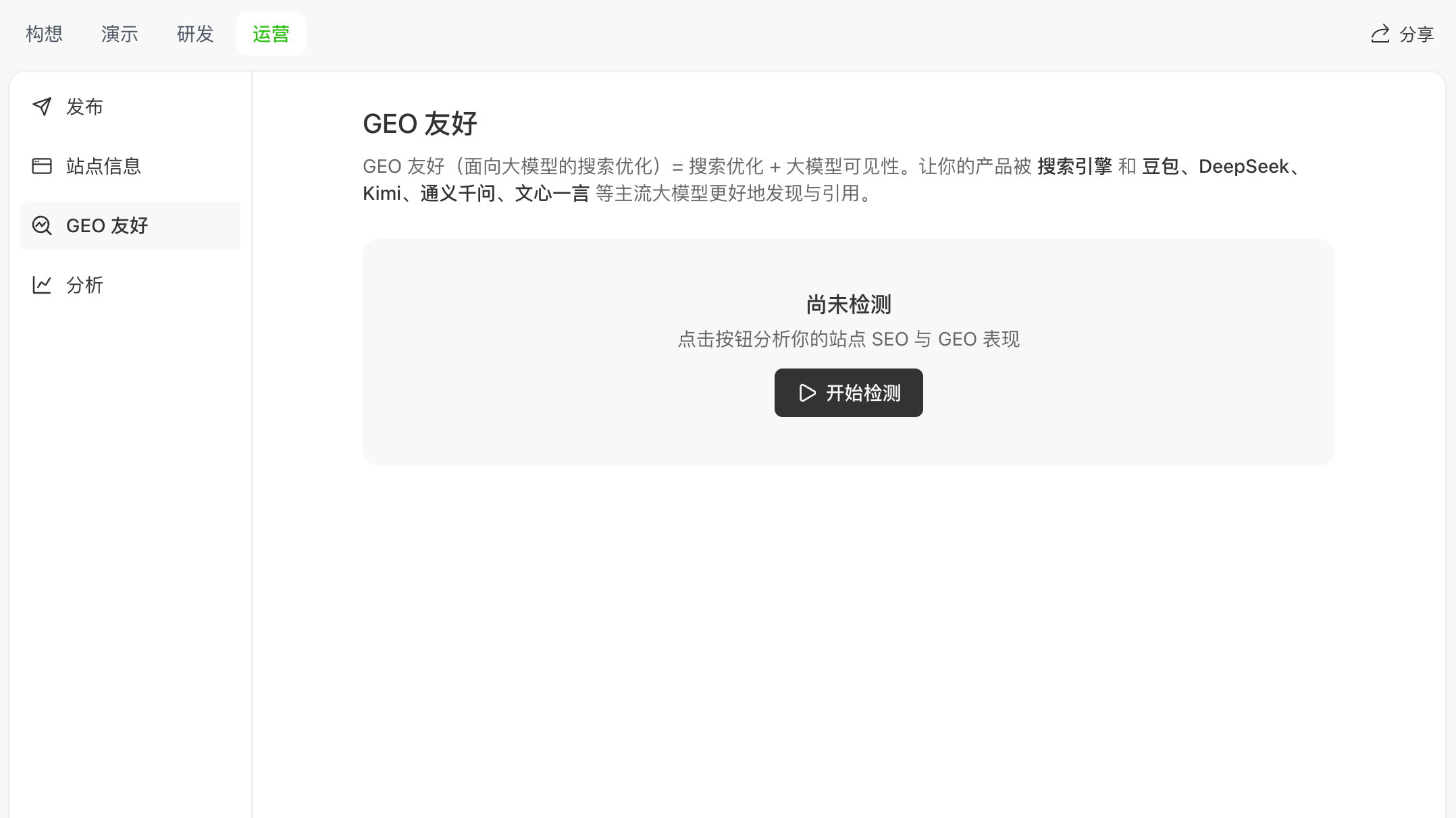 In **GEO**, click **Start check** (when you haven’t run a check yet, the UI highlights this action):
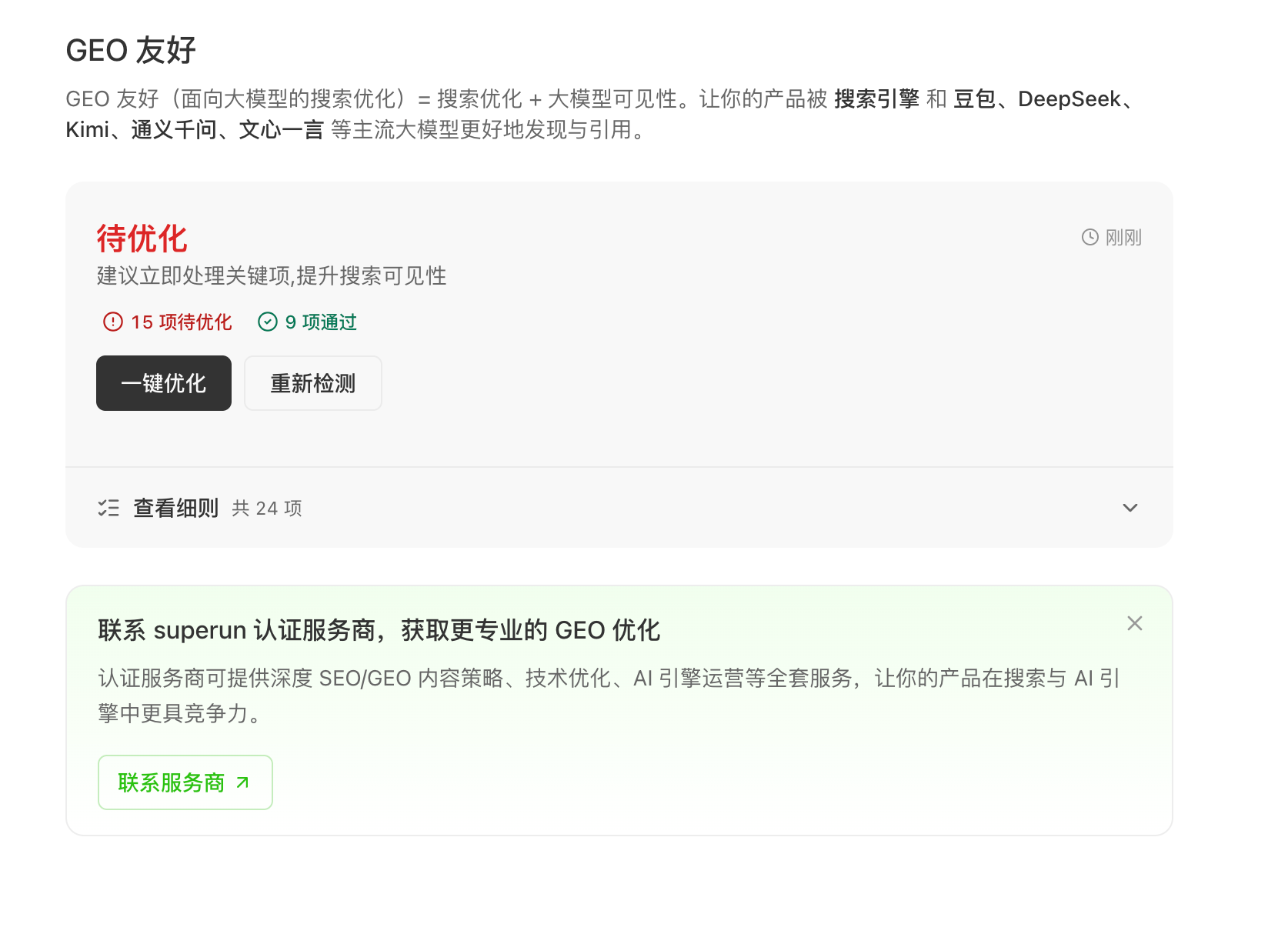 After the scan, the product evaluates your **published** site and shows results in everyday language—e.g. items to improve, items that passed, and a way to **view details**—without requiring you to know every technical term up front.
The check now also includes **Google / Baidu indexing status**, so you can quickly see whether mainstream search engines have indexed your site.
Check coverage and item names can change; **rely on the in-product text** as the source of truth.
## 3. One-click optimize
If there are issues, use **One-click optimize**. The product turns the report into **task instructions the Agent can follow** so the **Agent updates your project** for you, guided by the UI and chat.
After **One-click optimize** finishes, the system **automatically re-runs the check** and shows the **score or pass-item delta**, so you can confirm the optimization landed without clicking **Start check** again.
## 4. Re-check after publish
After you **republish** changes, it’s a good idea to **run the check again** to see whether the status or score improved and what remains to fix.
## 5. Deeper help
For larger or long-running needs, the product can offer a path to **superun certified partners** for deeper content and technical work (**subject to in-product information**).
## What we don’t guarantee
* We **do not** guarantee a specific **ranking**, slot, or “always on the first page.”
* We **do not** guarantee that a specific **LLM will cite you** in a specific conversation.
* We **do not** guarantee that **everything** can be fixed without **your** real product or brand information, or without **required third-party verification** where applicable.
A fair summary: superun helps you **tighten the basics** of **discoverability, presentation, and model-friendly structure**, and provides a **check → fix with Agent → verify after publish** loop to **lower the chance** of being ignored or shown with incomplete cards—not a promise of a fixed search or AI outcome.
***
Visit the site for more product information and examples.
After the scan, the product evaluates your **published** site and shows results in everyday language—e.g. items to improve, items that passed, and a way to **view details**—without requiring you to know every technical term up front.
The check now also includes **Google / Baidu indexing status**, so you can quickly see whether mainstream search engines have indexed your site.
Check coverage and item names can change; **rely on the in-product text** as the source of truth.
## 3. One-click optimize
If there are issues, use **One-click optimize**. The product turns the report into **task instructions the Agent can follow** so the **Agent updates your project** for you, guided by the UI and chat.
After **One-click optimize** finishes, the system **automatically re-runs the check** and shows the **score or pass-item delta**, so you can confirm the optimization landed without clicking **Start check** again.
## 4. Re-check after publish
After you **republish** changes, it’s a good idea to **run the check again** to see whether the status or score improved and what remains to fix.
## 5. Deeper help
For larger or long-running needs, the product can offer a path to **superun certified partners** for deeper content and technical work (**subject to in-product information**).
## What we don’t guarantee
* We **do not** guarantee a specific **ranking**, slot, or “always on the first page.”
* We **do not** guarantee that a specific **LLM will cite you** in a specific conversation.
* We **do not** guarantee that **everything** can be fixed without **your** real product or brand information, or without **required third-party verification** where applicable.
A fair summary: superun helps you **tighten the basics** of **discoverability, presentation, and model-friendly structure**, and provides a **check → fix with Agent → verify after publish** loop to **lower the chance** of being ignored or shown with incomplete cards—not a promise of a fixed search or AI outcome.
***
Visit the site for more product information and examples.