> ## Documentation Index
> Fetch the complete documentation index at: https://docs.superun.ai/llms.txt
> Use this file to discover all available pages before exploring further.
# Style Transfer
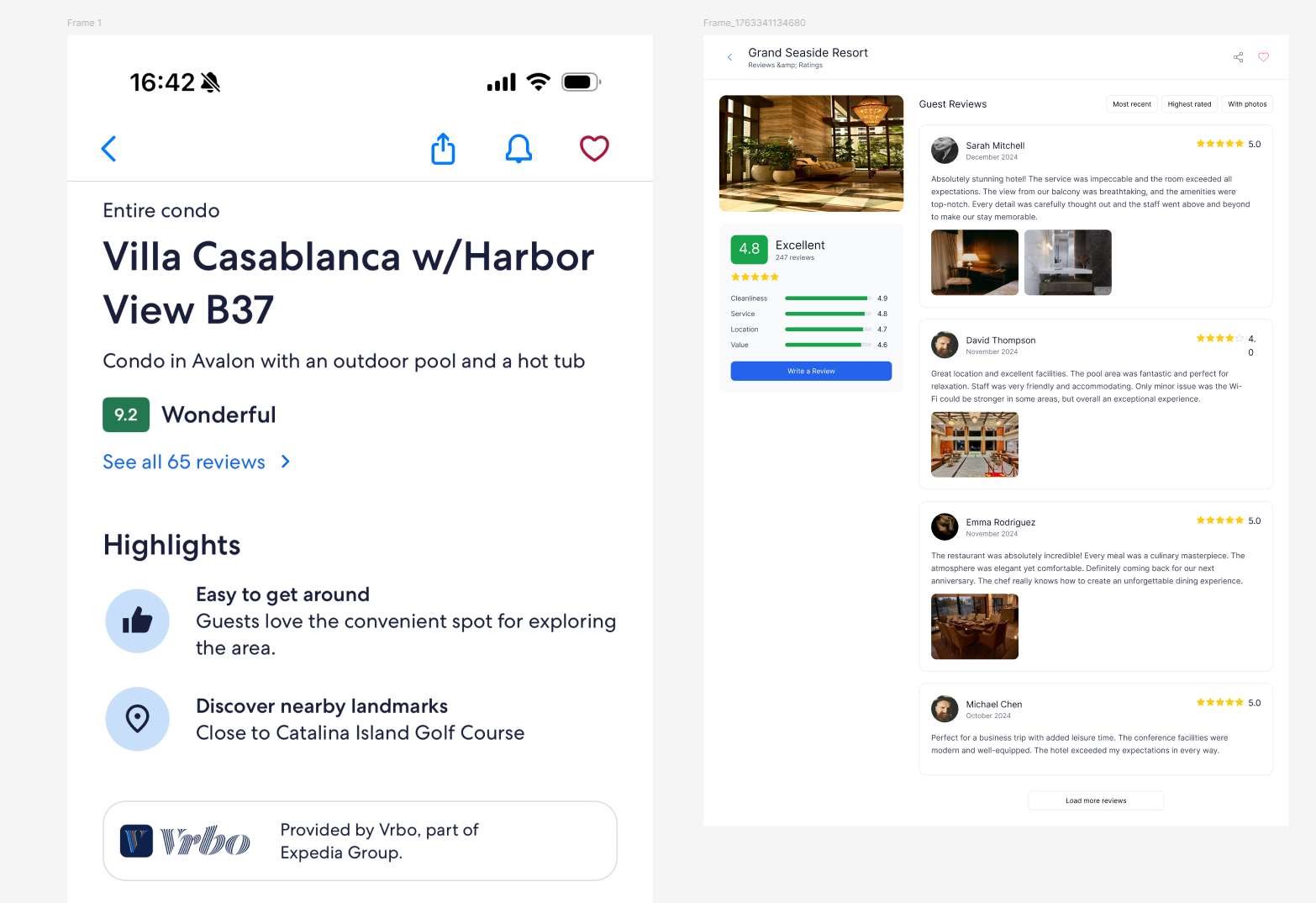
Style Transfer lets you **generate a brand-new page** while **keeping the visual style of an existing Figma frame**.\
The AI will match the selected frame's colors, typography, spacing, and layout patterns.
Use **Style Transfer** when you want your new pages to instantly match the design system already in your file.
***
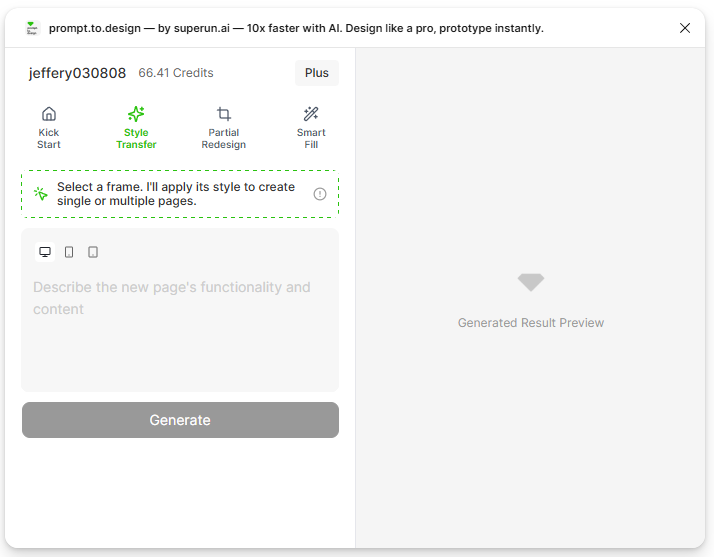
## 1. Select the **Style Transfer** tab
Open the **prompt.to.design** plugin, then click the **Style Transfer** tab at the top.\
This mode allows you to choose an existing frame as the visual reference.
 ***
## 2. Select a frame to use as your style reference
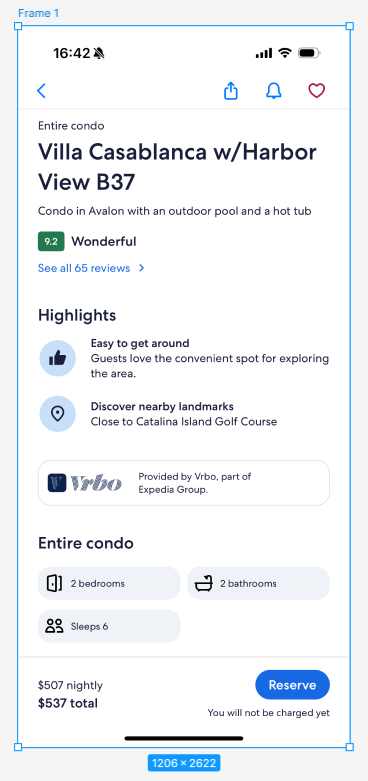
On your Figma canvas, click any existing frame that has the style you want to reuse.\
This frame will become your **style reference**, and its colors, typography, spacing, and component patterns will guide the generation.
***
## 2. Select a frame to use as your style reference
On your Figma canvas, click any existing frame that has the style you want to reuse.\
This frame will become your **style reference**, and its colors, typography, spacing, and component patterns will guide the generation.

 ***
## 3. Describe the new page you want to generate
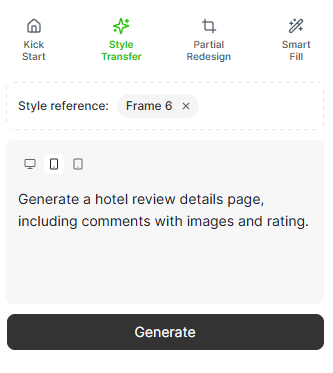
Type a **short description** of the new page layout you want.\
The AI will generate the page structure using the selected frame's style.
Example prompt:
> "Generate a hotel review details page, including comments with images and ratings."
***
## 3. Describe the new page you want to generate
Type a **short description** of the new page layout you want.\
The AI will generate the page structure using the selected frame's style.
Example prompt:
> "Generate a hotel review details page, including comments with images and ratings."
 ***
## 4. Click **Generate** and review the preview
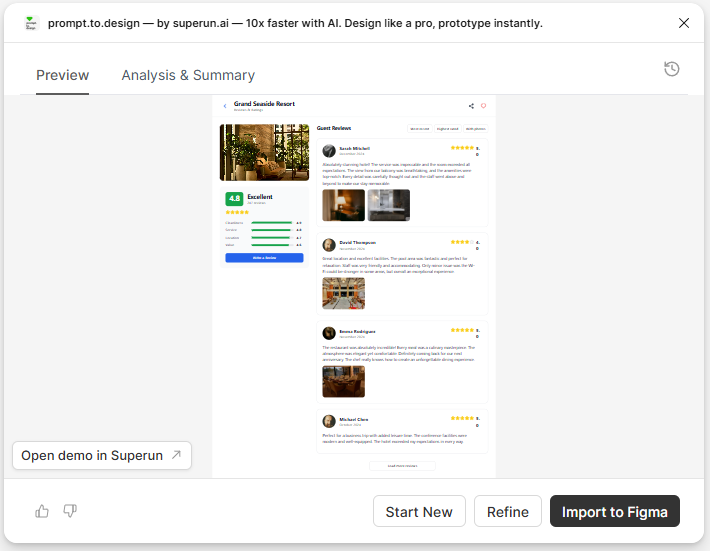
Click **Generate** to start styling the new page.\
When the preview appears, you can scroll or zoom to inspect the AI-generated layout.
***
## 4. Click **Generate** and review the preview
Click **Generate** to start styling the new page.\
When the preview appears, you can scroll or zoom to inspect the AI-generated layout.
 ***
## 5. Insert the styled layout into Figma
Click **Insert to Figma** to place the generated page into your canvas.\
A new frame will appear, styled consistently with your selected reference frame and fully editable.
***
## 5. Insert the styled layout into Figma
Click **Insert to Figma** to place the generated page into your canvas.\
A new frame will appear, styled consistently with your selected reference frame and fully editable.
 ***
## Summary
With Style Transfer, you can:
* Reuse an existing page's visual style instantly
* Keep colors, fonts, spacing, and UI elements consistent
* Generate new pages that match your design system
* Save time manually adjusting visual details
Style Transfer is perfect for building multiple pages in the same product or when reusing a strong visual style across different content types.
***
## Summary
With Style Transfer, you can:
* Reuse an existing page's visual style instantly
* Keep colors, fonts, spacing, and UI elements consistent
* Generate new pages that match your design system
* Save time manually adjusting visual details
Style Transfer is perfect for building multiple pages in the same product or when reusing a strong visual style across different content types.